Gerador de imagens ChatGPT grátis com GPT Image 2.0
Suporta JPEG, JPG, WEBP, PNG
Teste grátis para geração de imagens de qualidade superior
Tenha uma experiência de geração de imagens mais rápida, de melhor qualidade e sem anúncios através do nosso site profissional
APIs de imagem estáveis e econômicas para produção
Passe dos testes criativos gratuitos para fluxos de aplicação confiáveis com APIs de imagem selecionadas por alta qualidade, preços competitivos e estabilidade para produção.
GPT Image 2 API
Uma API de imagem OpenAI avançada, com forte fidelidade ao prompt, texto confiável e controles de qualidade flexíveis para marketing e produtos.
Ver detalhes da APINano Banana Pro API
A API de imagem de alta fidelidade do Google para controle semântico preciso, tipografia multilíngue, direção criativa consistente e saída 4K detalhada.
Ver detalhes da APISeedream 5.0 Pro API
Uma API voltada à produção para detalhes realistas, visuais comerciais, composição refinada e geração criativa estável de alta qualidade.
Ver detalhes da APIQwen Image 2.0 API
Uma API de ótimo custo-benefício com forte compreensão multilíngue, texto nítido, formatos flexíveis e geração eficiente em grande volume.
Ver detalhes da APIZ Image API
Uma API de texto para imagem rápida e acessível para iterar conceitos, criar recursos sociais, ilustrações e conteúdo diário escalável.
Ver detalhes da APIVeja o que o gerador de imagens ChatGPT grátis pode criar
Explore visuais de alto impacto criados a partir de prompts práticos, desde campanhas de produtos e pôsteres legíveis até personagens expressivos e mundos narrativos cinematográficos.
Publicidade premium de produtos
Crie uma campanha premium de produto em estúdio com materiais realistas, composição segura, iluminação dramática porém limpa e bastante espaço para o texto do anúncio.
Pôsteres com tipografia nítida
Crie um pôster editorial marcante com uma imagem central forte, título legível, espaçamento equilibrado, cores coordenadas e acabamento profissional de campanha.
Personagens e mundos narrativos
Crie um elenco de fantasia coeso em um mundo vibrante, com personalidades expressivas, figurinos consistentes, profundidade cinematográfica, ambientes detalhados e uma atmosfera pronta para contar histórias.
Por que criar com GPT Image 2 e ChatGPT Image 2.0?
O gerador de imagens ChatGPT grátis combina a compreensão de linguagem natural com recursos poderosos de geração e edição visual, ajudando você a transformar uma ideia em uma imagem útil com menos tentativas.
Compreensão natural e detalhada de prompts
Descreva assuntos, composição, iluminação, ângulo da câmera, clima, cores e restrições em linguagem cotidiana. O GPT Image 2 segue instruções em camadas para manter coerentes até os briefings criativos mais complexos.
Texto mais nítido para pôsteres e embalagens
Crie conceitos que incluam títulos, rótulos, placas, cardápios, embalagens ou texto de interface. O ChatGPT Image 2.0 é ideal para trabalhos visuais em que palavras legíveis são importantes.
Edição de imagens orientada por referências
Envie uma foto e explique o que deve mudar. Substitua fundos, refine o estilo, combine referências ou crie uma nova variação preservando os detalhes importantes.
Detalhes refinados e consistência visual
Gere rostos, materiais, produtos, ambientes e cenas com vários assuntos de forma atraente, com composição equilibrada e acabamento adequado a fluxos de trabalho criativos reais.
Formas práticas de usar um gerador de imagens ChatGPT grátis
Crie recursos visuais úteis para trabalho, estudo, negócios e ideias pessoais sem começar com uma tela em branco ou organizar uma sessão de fotos cara.
Produtos para e-commerce e publicidade
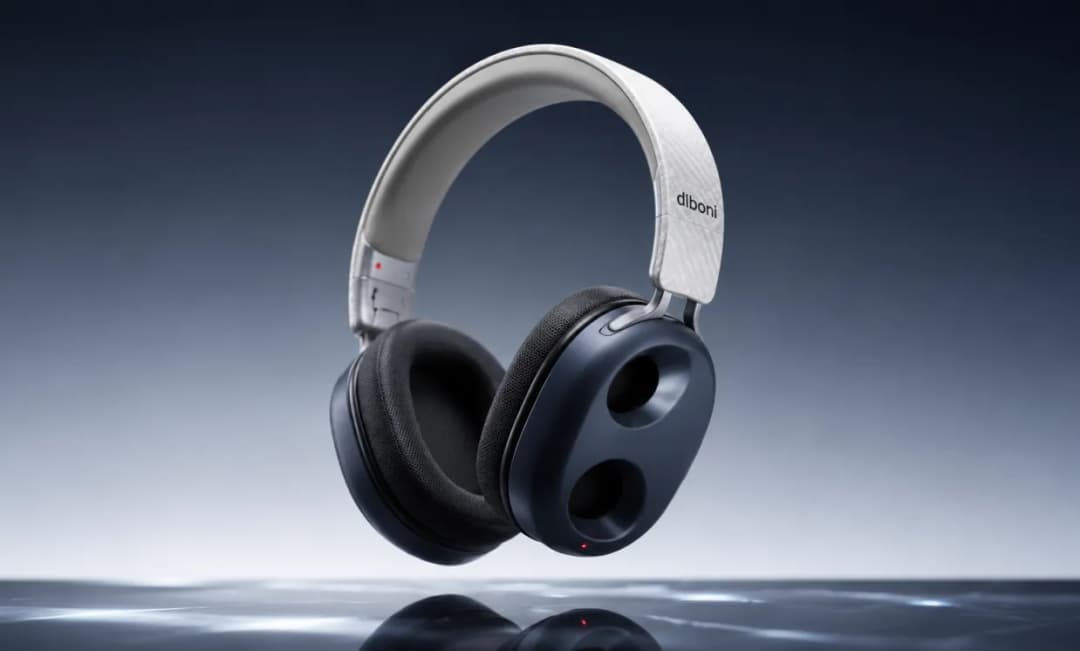
Crie imagens principais de produtos, cenas de estilo de vida, conceitos de embalagem, banners para marketplaces e variações de campanha antes de investir na produção.
Mídias sociais e marketing de conteúdo
Produza imagens para posts que prendem a atenção, miniaturas, gráficos editoriais, anúncios de eventos e conteúdo de marca dimensionado para diferentes canais.
Conceitos de marca, pôster e design
Explore o posicionamento de logotipos, tipografia, sistemas de cores, painéis de referências, cardápios, pôsteres, capas de livros e visuais de apresentações com iterações rápidas baseadas em prompts.
Histórias, educação e projetos pessoais
Ilustre personagens, materiais didáticos, conceitos de jogos, fotos de perfil, retratos de animais de estimação, convites, presentes e cenas familiares memoráveis.
Como usar o gerador de imagens ChatGPT grátis
Crie ou edite uma imagem em três etapas simples.
Descreva a imagem que você deseja
Envie imagens de referência, se desejar
Gere, analise e refine
Perguntas frequentes sobre o gerador de imagens ChatGPT grátis